
🎯 Who is this for?
Students who see the red message "Enter numbers only." when they enter a phone number in SpeedVisa.
❓ Question
I entered my phone number, but a red message says "Enter numbers only." What should I do?
✅ Answer
Enter your phone number with numbers only. Do not enter hyphens (-).
| Wrong | Correct |
|---|---|
| 090-1234-5678 | 09012345678 |
Where you enter your phone number
- In your residence application: Basic Information > Contact information > Mobile Phone Number
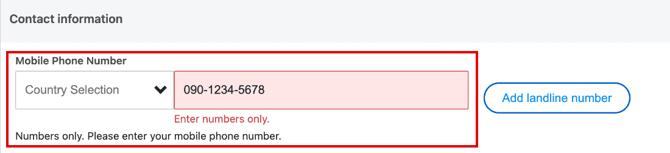
- In your personal settings: press the gear icon at the top right of the screen. Then go to Your profile > Contact Information > Phone Number.
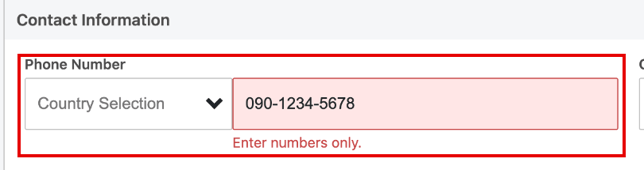
How to fix the error
- In Country Selection, select your country.
- In the field next to it, delete the hyphens. Enter numbers only.
- Check that the red message is gone.
- Press Save in your residence application, or Change in your personal settings.
💡 FAQs / Tips
I also want to enter a landline number.
In your residence application, press Add landline number next to Mobile Phone Number.
I fixed my phone number, but I still cannot save.
See Troubleshooting Errors or Issues During Input.